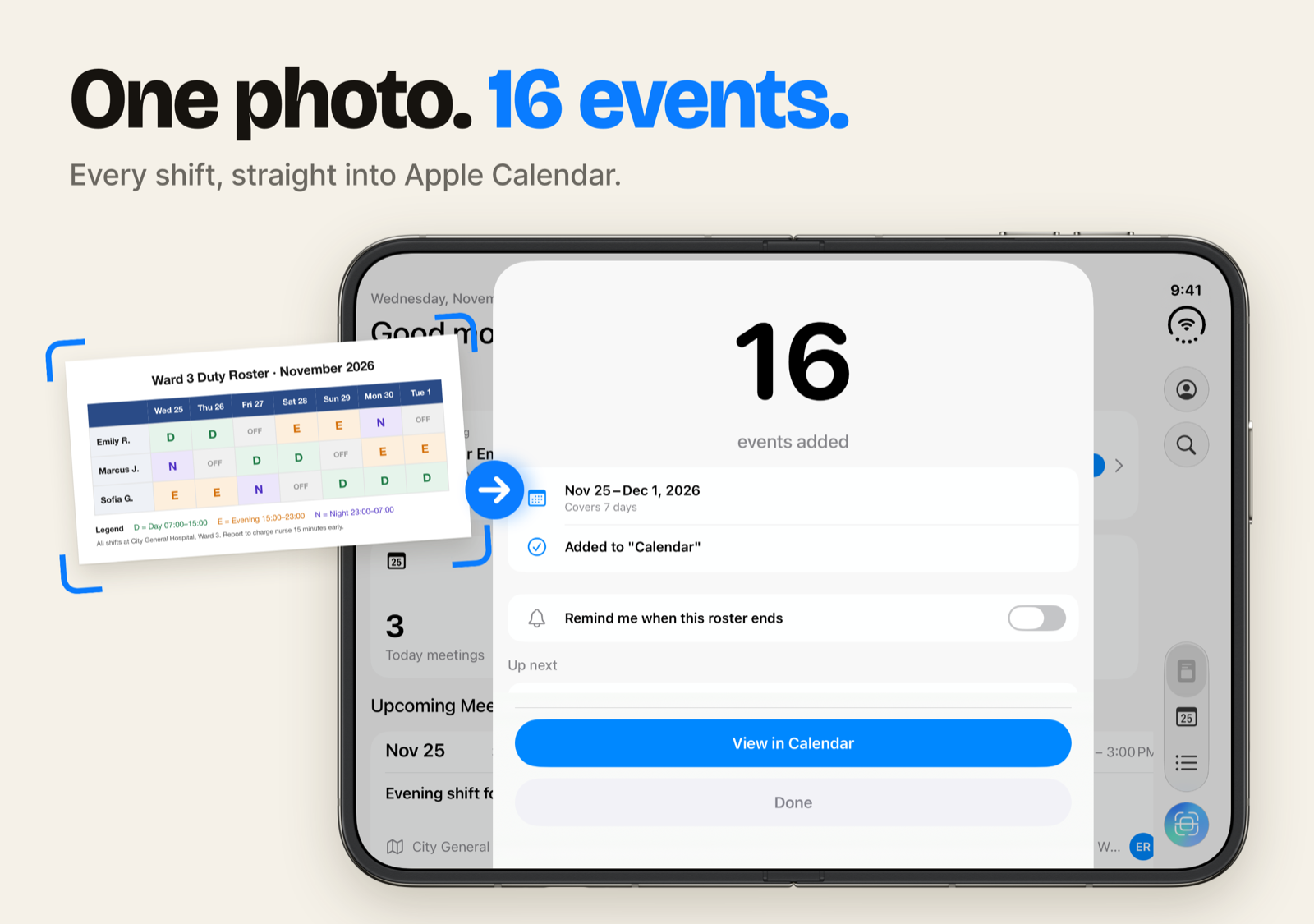
• 6 min read
How Lumical deals with unclear dates and repeating shifts
What Lumical does when a roster has no year, a night shift crosses midnight, a timetable repeats, or the same rota comes back with two shifts moved.
A shift roster is written for people who already know the context. It says “Tue 24”, not the year. It says “N”, and a legend at the bottom says what N means. A class notice says “Thursday, September 17” and assumes you know which September. Lumical has to turn that into exact start and end times in Apple Calendar.
An AI model reads the photo. The privacy policy names it: Google’s Gemini, and the image is deleted after processing. This post is about the plain code around that call.
The gaps, and the bench that scores them
The model’s instructions say how to fill the usual gaps. A date with no year is the next time that date comes round. A weekday on its own is the next one after now. A shift code is expanded from the legend, so an N under “N = Night 23:00–07:00” ends the next morning. OFF cells are not events. Every time comes back as a full ISO 8601 date with a numeric offset. I won’t print the instructions, and I can’t unit test a model.
I can score it, though. The test target has a bench of 72 images: a ward roster, a class notice and a concert poster, each drawn in 24 locales. The clock is fixed at 6 PM the evening before the roster starts. The notice has no year, and prints “2:00-3:30 PM” in English and “14:00–15:30 Uhr” in German. The scorer counts:
- events on the right local date with a start within five minutes
- correct end times, and night shifts whose end landed on the next day
- events that sit on an OFF cell
- any date that ends in
Z
That last one isn’t pedantry. Z means UTC, and it usually means a local time got written as UTC. A 07:00 shift written as 07:00Z lands at 3 AM in New York.
What the bench doesn’t have yet: a numeric date like 03/04 read on a US phone and a British one, a roster over a clock change, split shifts, and two staff with the same name.
What the app checks on the way back
This part is plain Swift, and every event goes through it:
- A start date that doesn’t parse drops the event. Two events with the same title and start become one.
- A time with no offset is read in your phone’s time zone, by name, so the offset is right for that day and not just for today. A time with an offset keeps that exact moment and is shown in your zone.
- No end time means one hour.
- A confidence that’s missing, or outside 0 to 1, counts as zero. Anything below 0.4 starts unticked, with “Low confidence, check details” under it.
- One page returns at most 60 events. If a page hits that, the review says so and asks for a second pass.
Two trade-offs fall out of this. A poster for an event in another city, with no time zone printed, lands at that clock time where you are. And an offset the model wrote is trusted. A Berlin rota that runs past the last Sunday of October needs +02:00 for its first days and +01:00 after. A time with no offset gets that right; a time with the wrong offset stays an hour out.
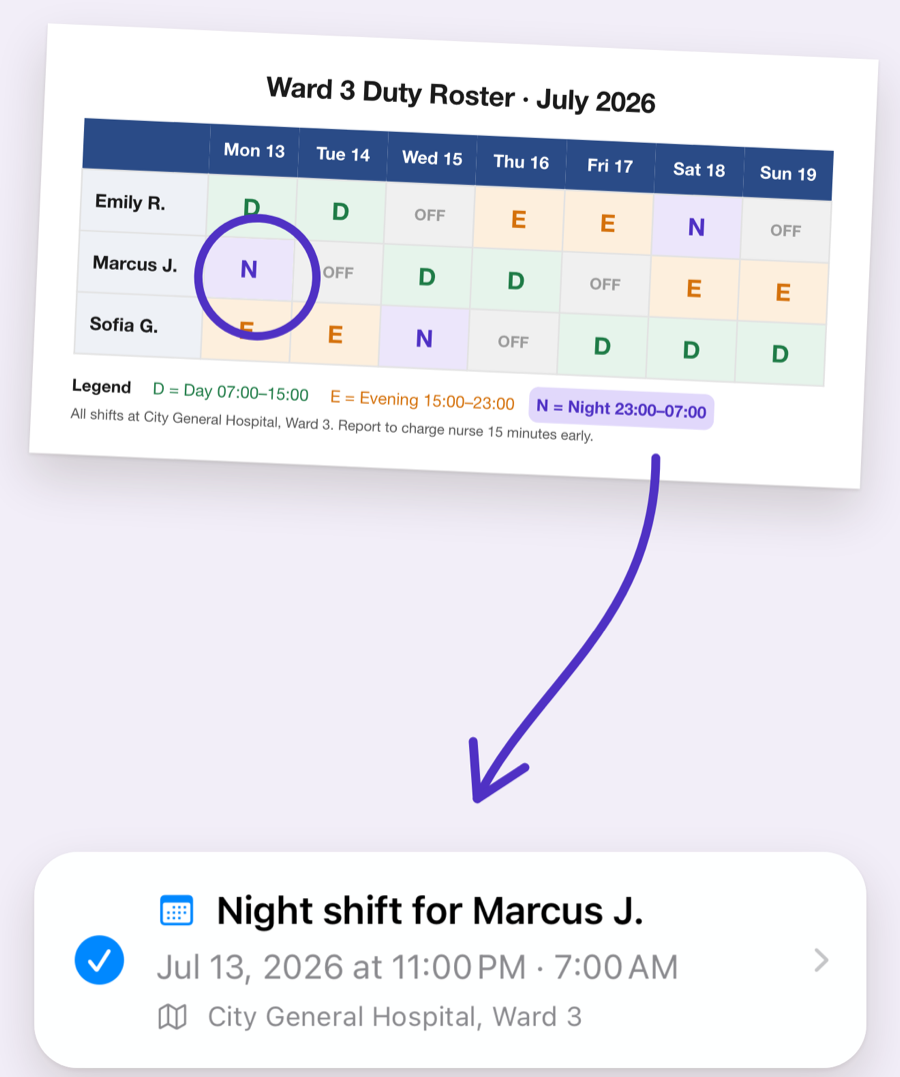
The weakest spot is the night shift. Calendar won’t save an event that ends before it starts, so if an end ever comes back before its start, the app falls back to one hour. It doesn’t guess “next morning”. For a misread night shift, that’s an 11 PM to midnight event. The row shows “11:00 PM · 12:00 AM”, so you can see it, but nothing flags it.
Repeating schedules stay as printed
Lumical writes no recurrence rules. A weekly timetable doesn’t become “BIO 201, every Monday at 9”. Each class on the paper becomes its own event, on the dates the paper shows. A week with twelve classes is twelve events.
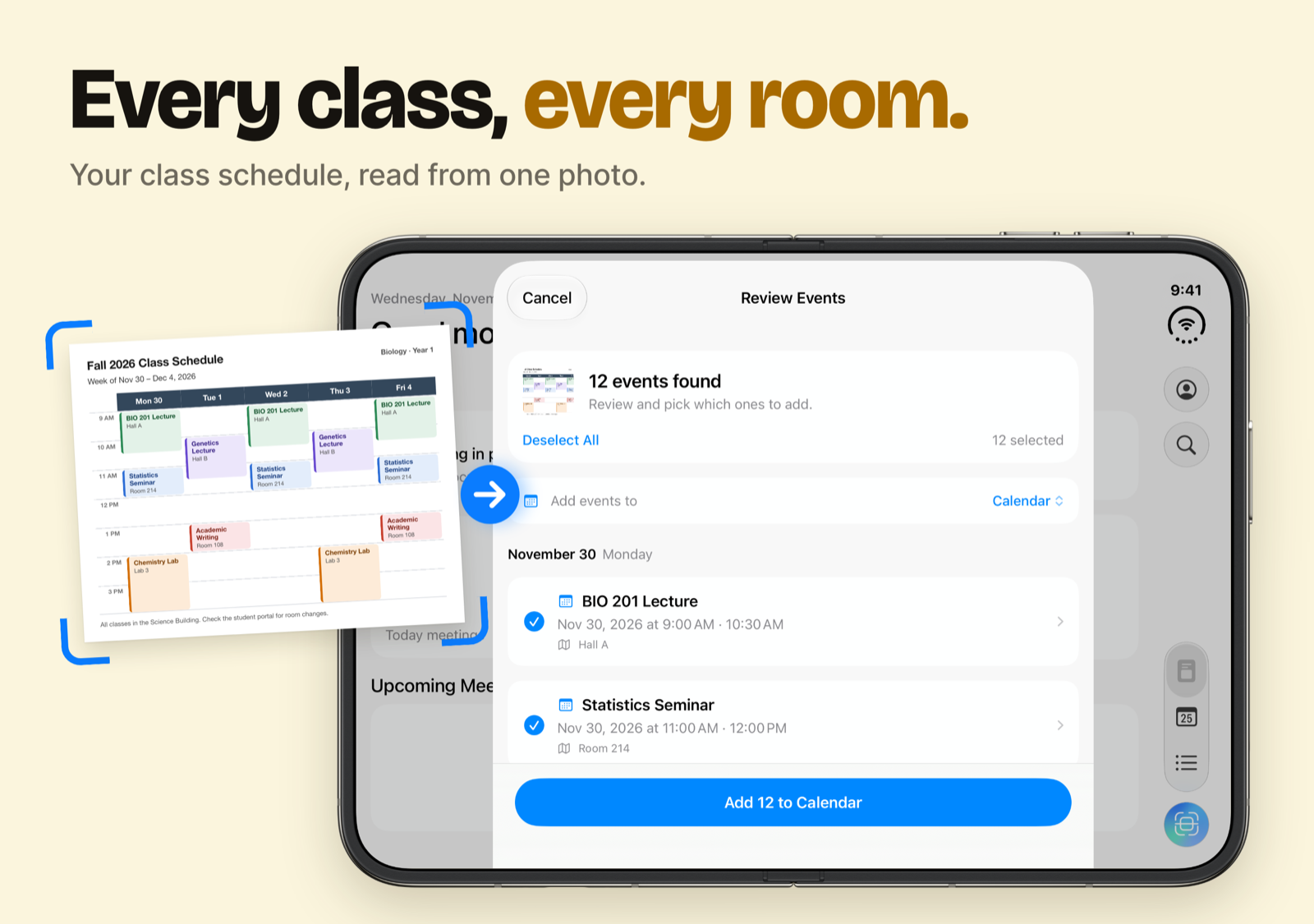
The upside: nothing lands in your calendar that the paper didn’t print. No class on the bank holiday the timetable skipped. The downside: a term timetable printed as one generic week gives you one week.
What stands in for the repeat is a reminder. After saving a roster or timetable, you can turn on one notification at 6 PM the evening before its last day, to scan the next one. It needs events on at least two different days, and an invite, poster, flyer or syllabus never gets one. Only one is ever pending; the next schedule you save replaces it.
Only your shifts
A ward roster has everyone on it. When every event in a scan belongs to exactly one named person, and there are at least two people, the review gets an “Events for” picker. The code is conservative on purpose: if any event names nobody, or names two people, there’s no picker at all.
The person comes from the event’s attendee, or from its title: a given name and an initial (“Marcus J.”), or a title that splits on the same separator every time (“Emily Rogers - Day shift”). In that last case, start times decide which half is the person. A shift always starts at the same time of day. A person works several.
The name you typed when you set up the app picks the person for you, matched on the phone after the events come back. “Emily” matches “Emily R.”. “Emily Rogers” matches “Emily R.” but not “Emily S.”. If your name matches two people, nobody is picked.
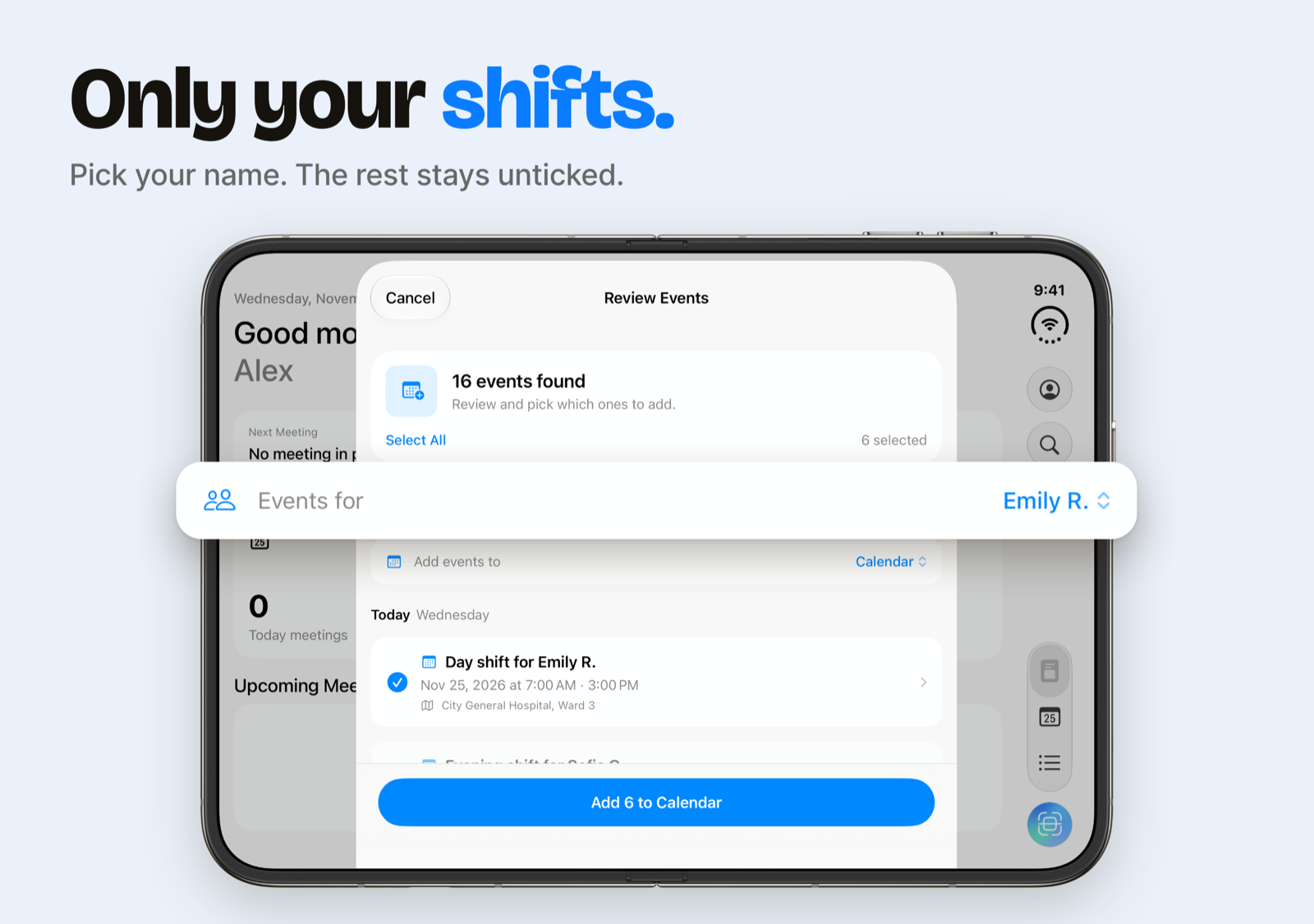
Picking a person ticks their shifts and unticks the rest. Nothing leaves the list. After an automatic pick, a quiet line says “Matches your name · Select everyone”. The choice is remembered for the next roster, “Everyone” included. An automatic pick leaves low-confidence rows unticked, even yours.
Scanning the same roster again
Rotas change. When a new scan covers days that already have events saved in Lumical, you get a diff instead of the list. For each day, events are matched by title, then by start time, then the last one left on each side. Days the new scan doesn’t cover are never touched.
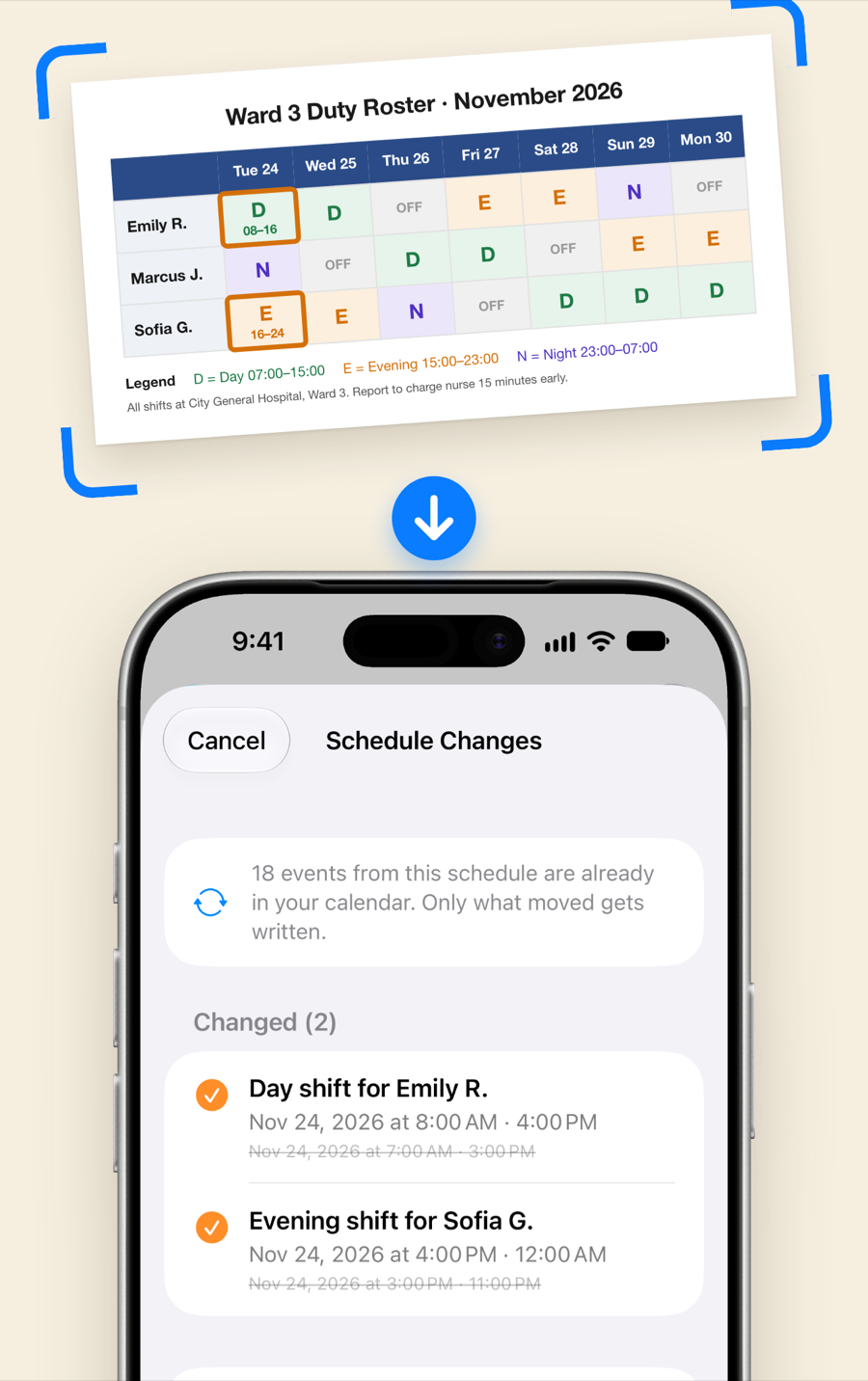
Changed and new rows start ticked. Rows no longer on the paper start unticked, under “These stay in your calendar unless you tick them.” Apply updates the existing Calendar events in place, and recreates one if you deleted it in the meantime.
The hard part is deciding it’s a re-scan at all. Someone saved their work rota, then scanned a dog’s care plan for the same days. One entry a day on each side, so the last-one-left pass paired every care slot with that day’s shift and offered to overwrite the shifts. Now only matches by title or start time count, and they have to be at least half of all matches:
var isRescan: Bool {
    guard anchoredCount > 0, anchoredCount * 2 >= matchedCount else { return false }
    return anchoredCount >= 2 || added.isEmpty
}
For when that still gets it wrong, there’s a “Different schedule? Add as new events” button. On a team roster where it knows which person is you, the diff runs on your shifts only, with “Showing changes for Emily R. · Show everyone” at the top, so a colleague’s shift never shows up as new.
The review is the safety net
Someone on Lumical’s Reddit launch thread put the real test well: can you spot a wrong day before it hits the calendar? That’s the job of the review. Every event sits under its day, with a thumbnail of the photo at the top. Tap any row to fix the title, place, times, alert or notes. Nothing is written until you tap Add.
That matters most for what’s still open: the silent one-hour night shift, offsets trusted as written, and the cases the bench doesn’t cover yet.